
How to Get More Marketing Content from One Photo Shoot
You need photos for a product page, an email, a sales presentation, and the next round of social posts. Booking a separate shoot for every request gets expensive. Booking one shoot and coming home with twenty versions of the same picture doesn’t solve much either.
The way I approach it is to plan for different kinds of photographs from the start. Show the product. Get into the details. Show somebody making it, handling it, and using it. Then you have choices when the next request lands on your desk.
I’ve done this as a creative director and commercial photographer. The job is to come home with photographs the business can put to work. Here’s the coverage I’d discuss before the shoot.
Get a clear photograph of the product.
Give customers a straightforward look at what you’re selling. Show the shape, finish, and relevant angles. Use a background that lets them see the product without fighting everything around it.
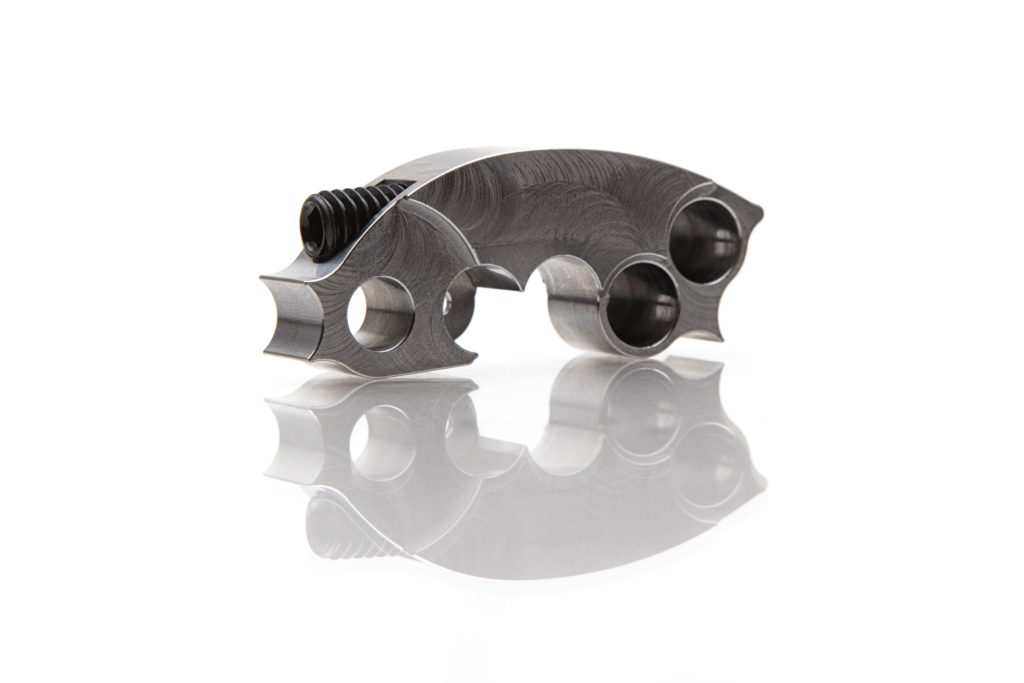
This is the photograph for the product listing, catalog, sales sheet, or distributor presentation. It can also appear in an email introducing the product or a social post answering a common buying question.
Your clean product shot has a job even when the more dramatic photographs get the attention. Somebody about to order needs to see what they’re getting. Shopify’s e-commerce guidance distinguishes plain-background photographs from detail and lifestyle images because they show different information.
Get close enough to show what matters.
Plan tight photographs of the features customers ask about. That could be the machining on a component, the stitching on a jacket, a connection point, or the finish on a piece of equipment.
Choose the detail for a reason. What would somebody lean in to inspect if they were holding the thing?
That photograph can support a feature explanation on the website, a sales slide about construction, an email answering a product question, or one frame in a social carousel. You can return to it when the same question comes up again.
A close-up needs to reveal something useful. “Here’s a detail” isn’t much of a message. “Here’s how this fastening system works” gives the photograph a purpose.
Show how it’s made.
Photograph the cutting, assembling, stitching, fitting, or finishing that actually happens. This gives customers something concrete to look at when you explain your process.
When I photographed Sniper clutch weights being CNC milled, I included the lubricant spraying and metal coming off the piece. I also photographed the machine, machinist, shop, and finished part. I worked from tight views to wider ones because each showed another part of the work.
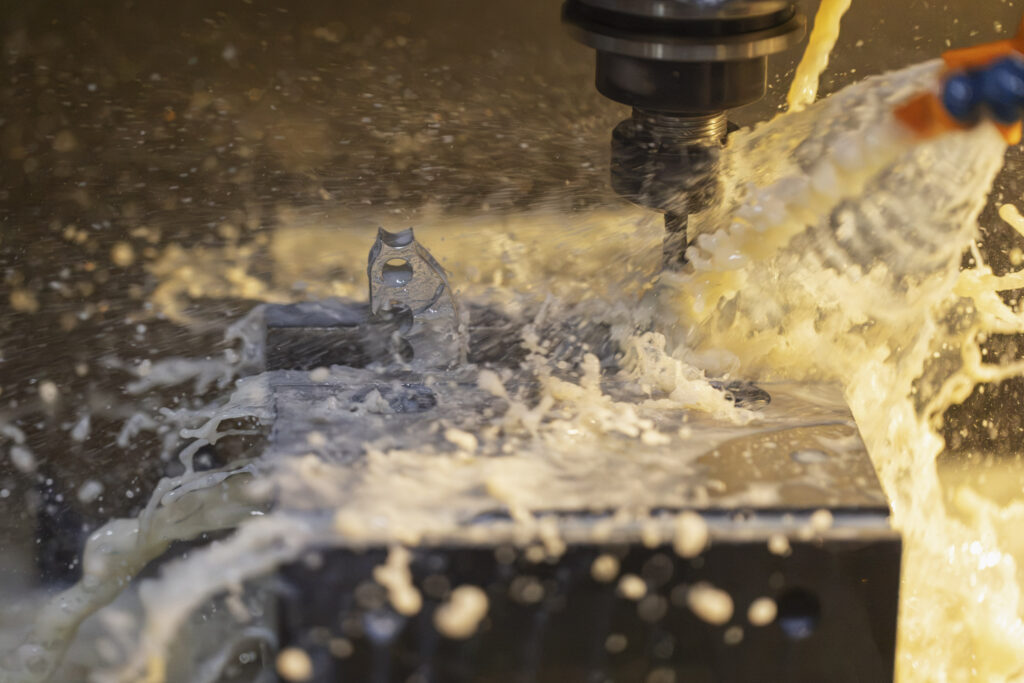
Those photographs gave us ways to talk about manufacturing, the product, and the employees. The business didn’t need to fake a day’s work for me. The work was already happening.
Use process photographs in a manufacturing page, a behind-the-scenes post, a customer email, or a presentation explaining production. Show the actual step that supports your message. A photograph of machining can show care and activity in the process. A precise claim about tolerances still needs the measurements.
Include the people working with it.
Get the person in the picture. Show the machinist operating the equipment, the employee checking a finished piece, or the technician explaining something to a customer.
Hands show an action. A wider view can connect that action to a person and a workplace. Both can be useful, so discuss both.
These photographs can introduce employees, explain a service, support hiring, or help sales show who stands behind the work. Google specifically recommends at-work photographs to explain services and team photographs to show the personal side of a business.
You don’t need everybody lined up with their arms crossed. Give me somebody doing the work they know. There’s usually more to say about that.
Show the product being used.
Now show what the customer gets to do with it. The jacket on a person moving through the woods. The tool in somebody’s hands. The equipment doing its job.
Think about the experience, too. Concentration, enjoyment, effort, relief. Choose something that belongs to the situation rather than asking everybody to grin at the camera.
In the powersports advertising tests I worked on, relatable scenes of people working on their vehicles performed better than product-only photographs. My reading was that customers recognized their own experience. That helped us communicate, “You’re one of us.”
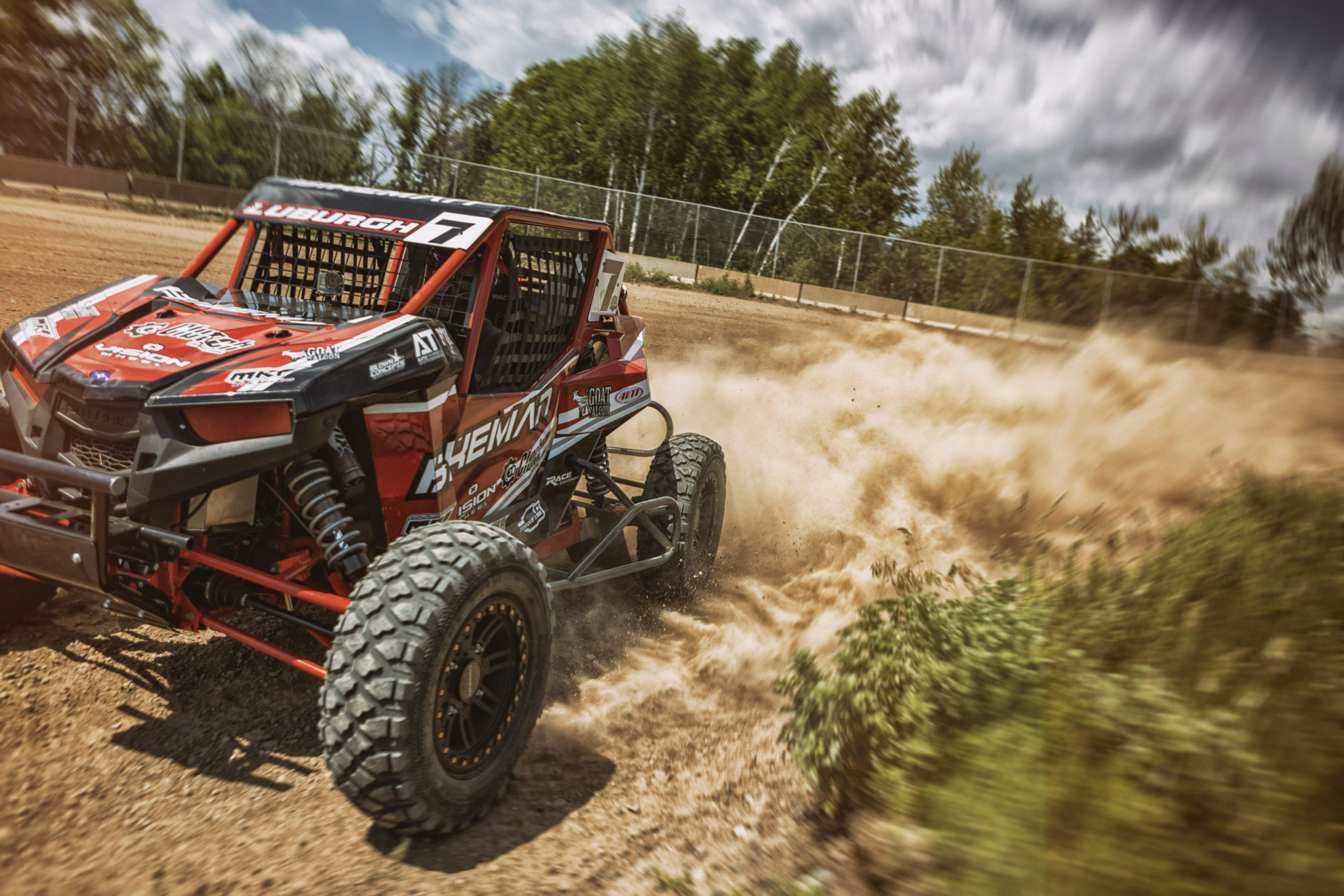
Use photographs of the product in action for a website opening, an advertisement, an email, or a social post about the activity customers care about. For parts hidden inside equipment, an action photograph supplies context. The race UTV pictured with this article doesn’t show the clutch weights. The separate product photograph lets you see the part itself.
Give the same photograph another job.
Here’s where reuse becomes practical. You have a photograph of CNC milling. On the website, it can accompany an explanation of production. In an email, it can introduce a story about how the part is made. In a sales presentation, it can illustrate the manufacturing step being discussed.
The finished part can appear on its product page, in a distributor sheet, and in a product announcement. The action photograph can lead a post about racing or introduce a relevant story about the people using the equipment.
These are possible placements, not a list of places these specific photographs have already run. The point is to choose a message the photograph can actually support.
Sometimes you’ll reuse the same file. Sometimes you’ll select another frame from the shoot, crop it for a layout, add a headline, or combine it with other images. Changing the crop alone won’t give you something new to say. Decide what the customer needs to know this time.
Plan the variations while the photographer is there.
Bring examples of the spaces you need to fill. Ask for horizontal and vertical compositions where needed, plus room for headlines in layouts that require them. Get the close view and the wider scene while both are available.
Adobe’s guidance on versatile shoots recommends shot lists, varied viewpoints, and space for copy. Those choices give the person building the email or web page more to work with.
Prioritize the coverage that matters most. You may be able to photograph a product, its details, and the people making it in one location. Taking it out on a course is another setup. Agree on what the shoot can cover, what you’ll receive, and how you’re allowed to use it.
Then keep the files somewhere your team can find them. Label them clearly. Reuse them while the product, people, equipment, and setting still represent the business. Track useful responses where possible, including clicks, inquiries, and purchases. A photograph appearing in five places tells you it was used. It doesn’t tell you what business it generated.
Before your next shoot.
☐ List the website pages, emails, sales materials, and posts that need images.
☐ Plan clear product shots and useful close-up details.
☐ Include the making, the people, and the product in use where relevant.
☐ Ask for the wide, medium, and tight views your messages need.
☐ Show the photographer your layouts and leave room for text.
☐ Agree on priorities, finished images, delivery, and usage.
☐ Reuse images with messages they support, and check they’re still accurate.
If you’re responsible for keeping the business supplied with photographs, I can help you work through this. Hire me to review what you need and plan the coverage, or hire me to photograph it.
Bring me what you’re selling and the places you need to show it. We’ll build the shoot around the work those photographs need to do.